
Your website looks fine on Monday. By Thursday, a plugin update has stopped quote requests from reaching your inbox. The homepage still loads, so nobody notices until a customer calls.
That is the buying decision behind WordPress maintenance services for US businesses: who checks that the website keeps doing its job, and who takes responsibility when it does not?
You do not need the longest feature list. You need a plan that fits your website, your working hours, and the consequences of a broken form or checkout. This guide explains how to compare costs, separate routine care from development, and choose a provider without paying twice for the same work.
The quick answer: buy maintenance around the functions your customers use. Confirm tested updates, recoverable backups, security monitoring, functional checks, and a clear support process. Treat hosting, content edits, emergency work, and SEO as separate line items unless the proposal explicitly includes them.
Do you need WordPress maintenance services?
Start with the website’s role in your business. A small brochure site with occasional edits needs a different arrangement from a store accepting orders all weekend. A service company running paid campaigns has another priority: every landing page and inquiry form must work while advertising is running.
A paid plan makes sense when nobody on your team has both the time and the knowledge to manage the site reliably. It also makes sense when a failure would interrupt sales, bookings, customer communication, or an important campaign.
For a simple site, DIY care can be reasonable. Put one person in charge, give them a recurring checklist, and make sure they can restore a backup. “The owner will do it when there is time” is not much of a process.
Three buying situations
- The local service business: prioritize contact forms, click-to-call links, mobile navigation, and reliable delivery of inquiries.
- The growing marketing team: add content support, staging, campaign checks, and a predictable allowance for small changes.
- The online store: require checkout expertise, order-aware recovery, integration checks, and support during actual selling hours.
If the central problem is an outdated structure or poor messaging, a care plan may keep the site stable without solving the bigger issue. Our guide to website refreshes, redesigns, and rebuilds helps separate ongoing upkeep from a project that needs its own budget.
What should a WordPress maintenance plan include?
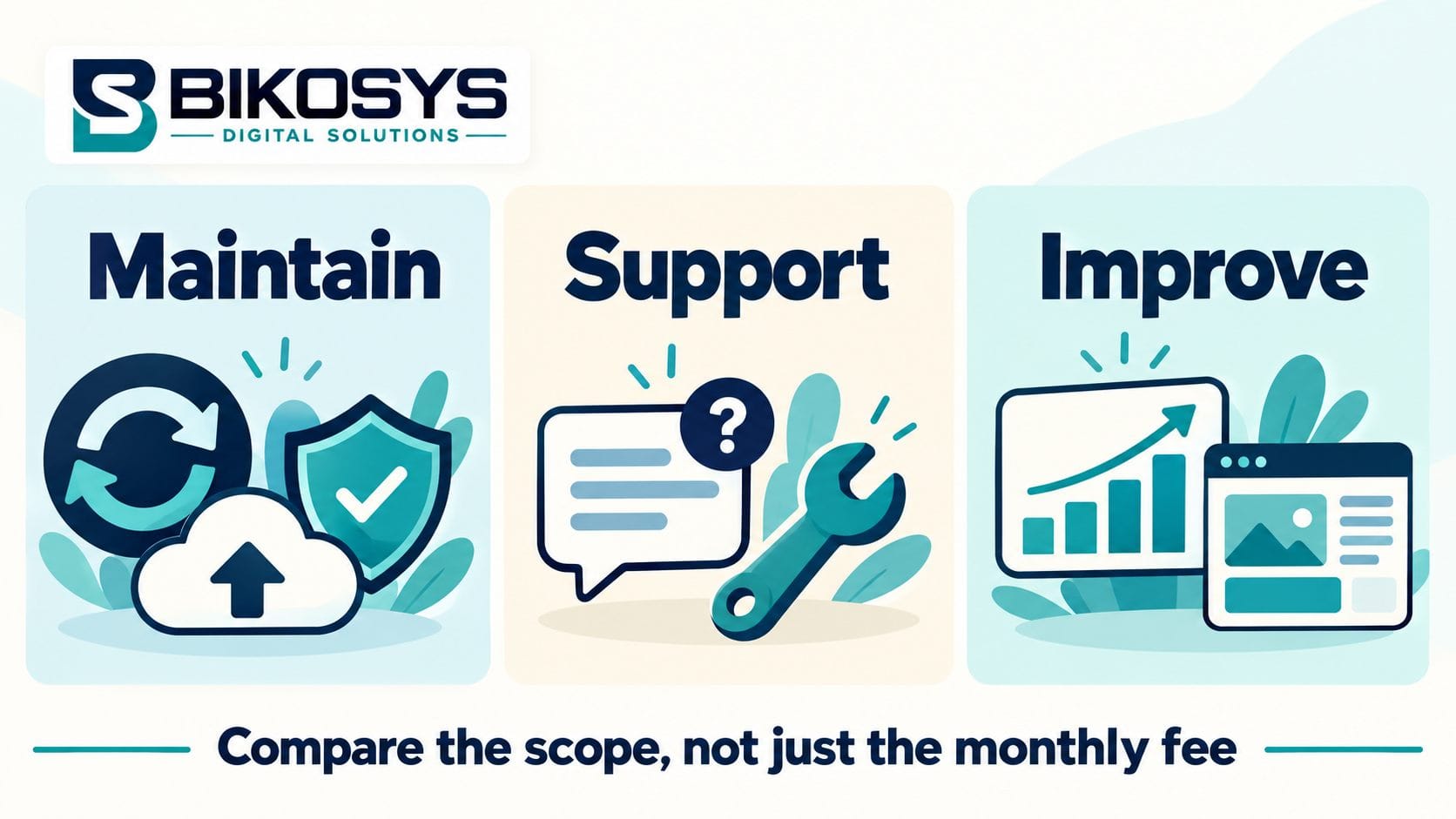
Use the following items as a discussion checklist. They are requirements to consider, not a claim that every plan includes everything.
Updates with a recovery route
Ask how WordPress core, themes, and plugins are reviewed and updated. Who checks compatibility? Which changes go through a staging copy? What happens if the update breaks an essential function?
WordPress’s official update guidance recommends making a backup before an update. For a business site, add a practical acceptance check: the important pages still display correctly, and the important customer actions still work.
Routine updates should follow an agreed schedule. A known security issue needs a separate assessment rather than automatically waiting for the next monthly visit. The provider should explain its process for urgent patches and incompatible software.
Backups you can actually restore
A backup notification tells you a job ran. It does not prove the website can be recovered. Ask what is backed up, where the copy lives, how long it is retained, and when restoration was last tested.
The WordPress backup handbook explains that recovery requires both files and the database. A backup held away from the live hosting account also gives you another recovery option if that account becomes unavailable.
Choose frequency around changes you could not comfortably recreate. Daily copies may suit a slowly changing brochure site. Orders, bookings, and membership activity can justify more frequent protection. Ask the provider to explain the recovery point in plain language: how much recent information could be lost?
Monitoring with a named person behind it
Clarify which alerts are monitored and who receives them. Website availability, certificate expiry, and suspicious activity are useful signals, but alerts need a response process.
A scan is not the same service as investigating an incident or cleaning an infected website. Ask whether cleanup is included, whether there are exclusions, and whether a pre-existing problem requires separate work. No maintenance provider can honestly guarantee that a website will never be compromised.
Checks that follow the customer journey
Give the provider a short list of actions that matter. Submit a form and confirm delivery. Complete a booking in a test environment. Check the phone link on a mobile device. Follow the purchase route far enough to catch an obvious checkout failure.
A server can return a healthy response while a business-critical form fails. That is why availability monitoring and functional testing belong in separate conversations.
Reporting and small changes
A useful report says what changed, what was checked, which problems were resolved, and what still needs attention. A list of plugin version numbers alone will not tell an owner whether inquiries are arriving.
For content edits, ask how requests are counted. Is the allowance measured in minutes, tickets, or defined tasks? Does unused time expire? Updating an existing team biography is usually different from designing a new landing page. Get that boundary in writing.
WordPress maintenance cost in the USA: how to budget
There is no standard US price because providers sell different combinations of automation, hands-on support, hosting, and development. Comparing monthly fees before comparing scope is a quick way to choose the wrong plan.
Published examples show the spread. GoWP lists its Pro plan at $39 per site per month and Business at $99. SiteCare lists Gold at $435 per month and Diamond at $2,190. These are examples of different offerings, not equivalent packages or a market average. Check the current GoWP pricing and SiteCare pricing before relying on a figure. Prices were checked in October 2026.
For your own quote, separate three levels of work:
- Routine care: scheduled updates, backups, monitoring, and reporting on a relatively simple site.
- Care plus support: troubleshooting, functional checks, defined content edits, and help coordinating with the host.
- Website management: recurring development, performance work, integrations, and broader operational responsibility.
A low-cost maintenance-only plan can be a good fit if you already have a developer for changes. A broader plan can be better value when your team regularly needs someone to investigate problems or publish updates. The deciding factor is the work you would otherwise have to arrange separately.
Calculate the annual cost before signing
Use this simple comparison: 12 monthly payments + onboarding + separate hosting + licenses + expected extra work. Check whether the advertised price requires annual payment and whether renewal changes it.
Here is a hypothetical example, not a Bikosys quote. Plan A costs $99 monthly, but hosting is $35 and one hour of extra work costs $120. If you need that hour every month, your annual total is $3,048. Plan B costs $249 monthly with hosting and that hour included: $2,988 annually. Scope can reverse the apparent saving.
Also ask whether an existing backlog, unsupported plugins, custom code, or malware changes the onboarding price. A provider should identify those conditions before you assume the monthly fee covers a full cleanup.
How to compare WordPress maintenance services
Shortlist providers that support your actual setup. Experience with a standard brochure site does not automatically establish experience with subscriptions, multilingual content, booking systems, or custom plugins.
Ask for response expectations in your timezone
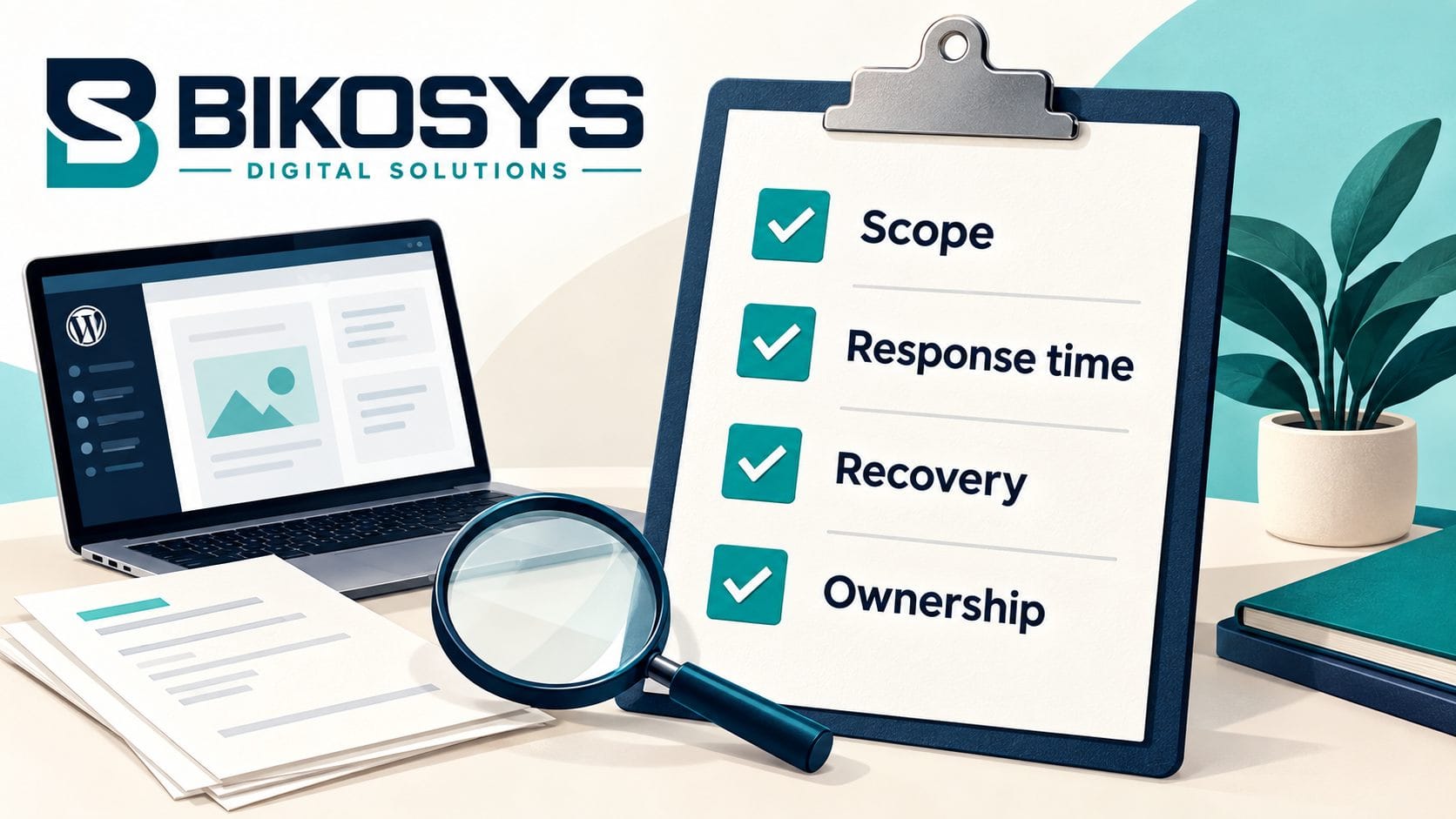
“24/7 monitoring” may mean an automated service is watching the website. It may not mean an engineer is available all night. “24/7 ticket submission” may only mean the inbox never closes.
For a US business, specify your timezone and the hours that matter. A company serving East Coast customers might care most about weekday mornings. A store selling nationwide may need evening and weekend coverage. Ask who handles an outage at those times.
Separate acknowledgment from investigation and resolution. A quick reply is useful, but it is not the same as a fix. The proposal should define priorities and escalation without promising an identical resolution time for every possible problem.
Ask what the provider tests after an update
Request a description of the workflow, not access to another customer’s site. A provider should be able to explain how it chooses test cases, records changes, and rolls back when necessary.
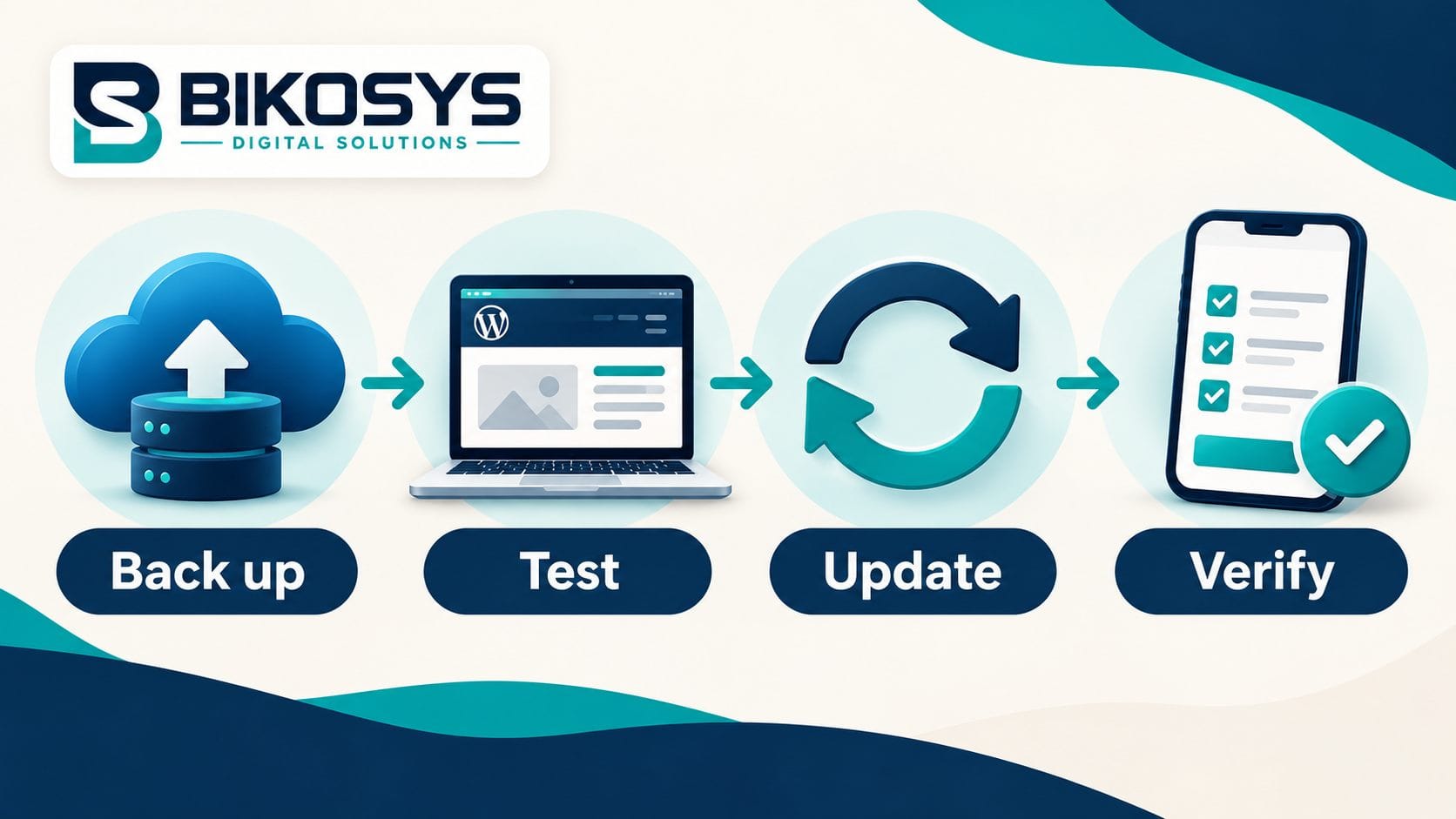
For example, imagine an HVAC company whose main conversion is a quote form. A reasonable check covers the form display, submission, confirmation, and inbox delivery. Checking only the homepage would miss the thing the company needs most.
Keep ownership and access clear
Your company should control its domain and primary accounts. Discuss how the provider receives access, which accounts it needs, and how that access is removed when the relationship ends.
Ask about premium licenses too. An agency license may stop covering a plugin when you leave. That can be acceptable if the arrangement is clear and you know the replacement cost. It should not be a surprise during handover.
Watch for unclear promises
- “Unlimited” with no definition: ask about task size, queue limits, exclusions, and custom development.
- “SEO included” with no deliverables: distinguish technical checks from content, local SEO, and link-building work.
- “Fully secure”: ask what protection and incident response mean in practice.
- No initial review: ask how the provider prices responsibility for a site it has not inspected.
You are looking for a workable agreement. A provider that explains its limits clearly can be easier to work with than one that agrees to everything in the sales call.
Managed hosting versus a WordPress care plan
Before buying WordPress support services, read your hosting agreement. Write down what the host does, what your existing developer does, and what nobody currently handles. That last column is the useful starting point for a maintenance quote.
Think of a hypothetical consulting firm. Its host keeps the server running and creates backups. The marketing manager can edit pages. But nobody checks whether an updated form still delivers inquiries or investigates a conflict between two plugins. The missing service is application support and testing, not another hosting account.
Other businesses have the opposite problem: a dependable developer manages WordPress, but the hosting plan struggles during a campaign. Buying more content-edit hours will not address that bottleneck. Ask the developer and host to identify the responsibility before increasing the retainer.
For each item in the proposal, assign one accountable party. Backup creation, restore requests, email delivery, domain renewals, and plugin licensing should not sit between two teams that each assume the other owns the task.
Decide what a successful month looks like
Choose a few outcomes you can verify: scheduled work completed, a recent recoverable backup, inquiries successfully delivered, and approved edits finished within the agreed process. Ask for unresolved issues to remain visible in the report instead of disappearing into a ticket archive.
After the first month, review the fit. Are you buying hours you never use? Are everyday requests repeatedly excluded? Is your team spending more time coordinating than it expected? Adjust the scope around those facts. The right care plan should make responsibility clearer and website work easier to manage, even during a month when nothing dramatic happens.
WooCommerce maintenance needs a closer look
A store adds moving parts: payments, tax and shipping settings, order emails, inventory, coupons, subscriptions, and third-party connections. Your maintenance scope should identify which of these the provider can support.
Discuss checkout testing before changes go live. Agree on a safe test method, the payment gateways involved, and who checks that confirmation emails arrive. Keep test activity distinguishable from real orders.
Recovery needs special care. Restoring yesterday’s full database can overwrite today’s orders or customer activity. Ask how the provider handles an incident on a live store and preserves transactions while repairing the problem.
Before a seasonal sale, tell the team about expected traffic, new promotions, and any integrations being changed. Plan risky work around that calendar. A cheaper plan that excludes ecommerce troubleshooting may leave you arranging emergency help at the worst time.
Switching providers and the first 30 days
You can usually move maintenance without rebuilding the website. Changing the person responsible for care is a different decision from changing hosts. Ask whether migration is required and why.
For a clean handover, gather domain and hosting details, the current plugin list, licenses, backup arrangements, custom-code notes, and any unresolved issues. Keep existing protection in place until the incoming provider confirms its systems are working.
A useful first-month plan looks like this:
- Establish the baseline: review the website, identify essential functions, and separate existing defects from ongoing maintenance.
- Confirm recovery: verify access, backup coverage, retention, and an agreed restoration process.
- Complete controlled changes: address approved priorities and check customer journeys afterward.
- Review the arrangement: confirm reports, escalation contacts, outstanding work, and the next maintenance window.
If a provider finds a major problem, expect a clear explanation and a separate scope where appropriate. Starting a care plan should not silently authorize an open-ended rebuild.
What to send with a maintenance quote request
Send your website URL, business timezone, platform details, and a short description of what the site does. Include whether it accepts payments, bookings, memberships, or leads, plus the changes you typically request each month.
Explain the current problem. “We need someone to check inquiry delivery after updates” gives a provider more useful information than “we want the best maintenance package.” Share known issues without putting passwords in the inquiry form.
Ask for an itemized proposal covering recurring work, onboarding, hosting, licenses, support hours, emergency response, exclusions, and cancellation. Compare the same needs across providers. Keep a copy of the agreed scope alongside your website account records.
Bikosys provides website maintenance services for US businesses, with a review of the existing site before recommending an approach. If your needs include larger functionality changes, discuss them separately through our WordPress development services.
Request a WordPress maintenance assessment with your URL and the functions you need to protect. The goal is a plan you can understand, budget for, and hold someone accountable to.
Frequently Asked Questions
How much do WordPress maintenance services cost in the USA?
Costs depend on scope. Published offerings range from inexpensive routine care to management plans costing hundreds or thousands of dollars monthly. Compare updates, support, hosting, content allowances, and emergency work before comparing fees. Request a site-specific quote rather than treating a starting price as an all-inclusive budget.
What is included in a WordPress maintenance plan?
Common items include core, theme, and plugin updates, backups, monitoring, and reports. Functional testing, troubleshooting, content edits, performance work, and malware cleanup vary by provider. Ask for a written list of inclusions, frequency, and exclusions.
Do I need maintenance if I already have managed WordPress hosting?
Possibly. First check what the host actually manages. Hosting may cover infrastructure, backups, or selected updates while leaving plugin conflicts, website changes, and form testing to you. Buy support for the remaining responsibilities and avoid paying twice for identical work.
Can I maintain my WordPress website myself?
Yes, if you have time, suitable knowledge, and a dependable recovery process. Use a scheduled checklist and test essential functions after changes. Consider outsourcing when the site supports meaningful sales or leads and nobody can consistently take responsibility.
How often should WordPress plugins and themes be updated?
Use an agreed review schedule based on the site and update risk. Security fixes need timely assessment rather than waiting automatically for a monthly cycle. Before changing important software, confirm a current backup and a way to check that essential functions still work.
Does WordPress maintenance include SEO?
Maintenance can protect technical foundations such as working pages and usable mobile layouts. It does not automatically include keyword research, original content, local SEO, or a growth campaign. Ask which SEO deliverables are included and how they will be reported.
Are content edits and new pages included?
Only if your plan says so. Some plans include a time or task allowance for small edits. New page design, copywriting, and custom functionality may require separate work. Confirm task limits, approval requirements, and the rate for work outside the allowance.
Does a maintenance plan cover hacked website cleanup?
Some do; others include monitoring but charge separately for remediation. Ask about cleanup, investigation, recovery, and pre-existing infections. A provider should explain its incident process and limitations before you sign up.
Is 24/7 monitoring the same as 24/7 emergency support?
No. Automated monitoring can run continuously while human support operates within set hours. Confirm coverage in your timezone, the emergency contact method, and the response target for a critical outage. Distinguish an acknowledgment from investigation and resolution.
Do WooCommerce stores need a different maintenance plan?
Often. Stores need attention to checkout, gateways, order emails, inventory, and integrations. They also need a recovery process that accounts for recent transactions. Confirm ecommerce support explicitly instead of assuming a standard brochure-site plan covers it.
Can I switch maintenance providers without rebuilding my website?
Usually. Arrange access, documentation, licenses, backup coverage, and a clear handover date. A hosting move may be optional rather than necessary. Keep the existing protection active until the incoming provider confirms the new arrangement is working.
What should I ask before buying a WordPress care plan?
Ask what is included, who tests changes, how backups are restored, when support is available, what happens during an outage, and which tasks cost extra. Also confirm ownership, license arrangements, cancellation terms, and what you will receive at handover.