A business website rarely reaches a point where everything is wrong at once.
More often, the problems arrive gradually. The homepage starts to feel dated. New services are added wherever there is space. Navigation becomes crowded. Mobile pages require more scrolling than they should. A few plugins slow things down. Eventually, someone asks the obvious question: do we need a completely new website?
Sometimes the answer is yes. Quite often, it isn’t. Understanding website refresh vs. redesign vs. rebuild can prevent a business from spending money on work it does not actually need.
A website with a sound technical foundation may need only a focused refresh. Another may need a substantial website redesign while keeping its existing CMS and valuable content. In other cases, continuing to repair an aging website simply adds cost to a foundation that should be replaced.
The useful question is therefore not simply, “How old is our website?”
Which parts of the current website are still helping the business, and which parts are holding it back?
Website Refresh vs. Redesign vs. Rebuild: The Short Answer
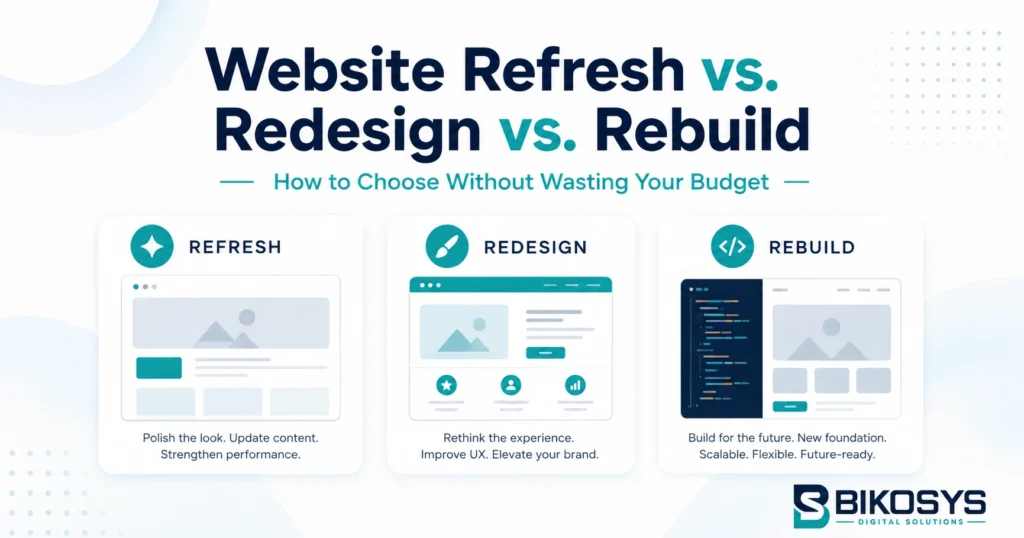
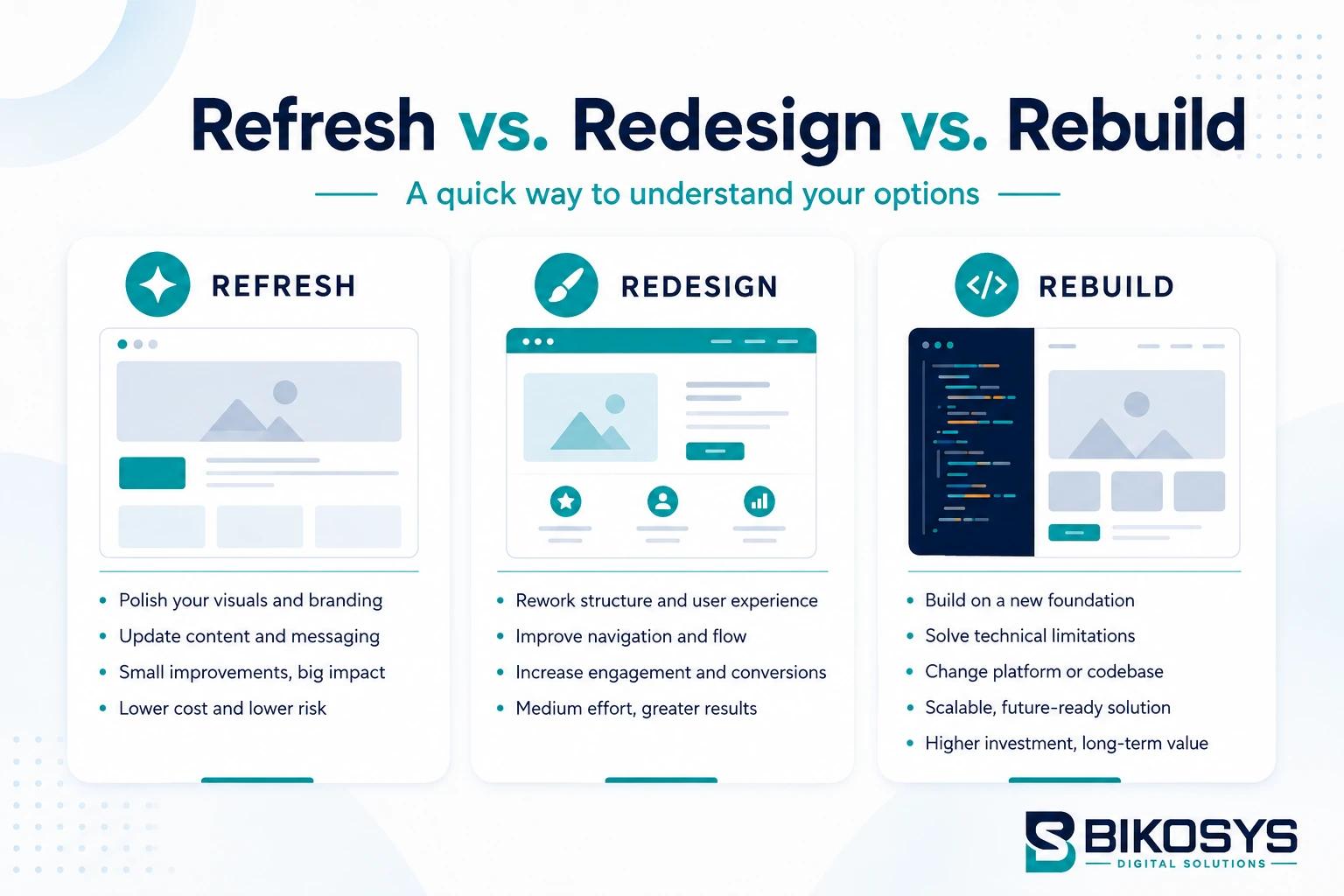
A website refresh makes targeted improvements without changing the site’s fundamental structure. This could include updated typography, imagery, colors, calls to action, selected page layouts or content.
A website redesign makes broader changes to how the website looks, communicates and guides visitors. Navigation, page structure, user experience, mobile layouts and conversion paths may all change while the existing CMS or technical foundation remains.
A website rebuild replaces a significant part of the underlying website. That might involve moving to another CMS, replacing an obsolete theme or page builder, removing years of technical debt or developing the site again on a cleaner foundation.
The right choice depends less on appearance than many businesses expect.
A dated design can be redesigned. A weak headline can be rewritten. A confusing menu can be reorganized. But a modern-looking homepage will not solve an unstable CMS, an unmaintainable codebase or a website that cannot support what the business needs next.
What Is a Website Refresh?
A website refresh is the least disruptive of the three options.
The basic website works. The platform is manageable. Important pages are in roughly the right places. Search engines can crawl the site correctly. The business does not require major new functionality.
It simply needs improvement.
A refresh might involve updating the visual style, replacing old photographs, improving spacing, strengthening calls to action, rewriting important sections, simplifying forms or making selected pages easier to use on mobile devices.
It can also include technical housekeeping such as image optimization, plugin cleanup, selected performance improvements or correcting obvious on-page SEO issues.
The important point is that the website’s foundation remains substantially unchanged.
A Refresh Makes Sense When the Foundation Is Still Good
Imagine a small professional-services company with a six-year-old website.
Its services have not changed significantly. The page structure is sensible. The site works well, the administration area is easy to manage, URLs are clean and the business already receives inquiries through it.
The problem is presentation.
The photography feels dated, some sections are too text-heavy, buttons are inconsistent and the homepage no longer represents the quality of the company.
Rebuilding that website from zero would probably be unnecessary. A focused refresh could solve the visible problems without disturbing the parts that already work.
Do not replace useful website infrastructure simply because the visual design has aged.
What Is a Website Redesign?
A redesign goes considerably further than a refresh.
The goal is not merely to make an existing site look newer. A proper redesign asks whether the website still reflects the way customers research, compare and contact the business.
That can lead to changes in page hierarchy, navigation, messaging, layouts, mobile behavior, calls to action and the way information is prioritized.
The existing CMS may remain exactly where it is.
For example, a WordPress website can receive an entirely new user experience and visual system without moving away from WordPress. Useful articles, successful landing pages and established URLs can often remain while the surrounding experience is redesigned.
This is why website redesign vs. rebuild should not be treated as two names for the same project.
When a Website Redesign Is Usually the Better Choice
A redesign becomes more appropriate when the website technically functions but the experience around it no longer serves the business well.
Perhaps the company has grown from offering two services to twelve, yet the website still presents everything through the original five-page structure.
Perhaps mobile visitors have to work too hard to understand what the company offers.
Maybe the business has excellent case studies, reviews and credentials, but they are buried on pages very few visitors reach.
Or the website receives traffic but generates fewer inquiries than expected because the next step is unclear.
In situations like these, changing a few colors will not be enough. The website needs to be reconsidered as a customer journey.
A visitor arriving from Google, an advertisement, a referral or an AI-powered search experience should be able to understand three things quickly:
- What does this business do?
- Is it credible?
- What should I do next?
If the current site makes those answers difficult to find, professional web design services focused on user experience may be more valuable than simply modernizing its appearance.
What Is a Website Rebuild?
A website rebuild becomes necessary when the underlying website is part of the problem.
This might involve replacing an old CMS, moving away from an inflexible platform, retiring an unsupported theme, eliminating excessive plugin dependencies or developing a cleaner structure that can support future features.
A rebuild can include a redesign, but the two solve different problems.
Redesign addresses the experience. Rebuilding addresses the foundation.
Sometimes both are needed.
Technical Debt Is Often the Real Reason to Rebuild
Technical debt is rarely visible on the homepage.
A website may look acceptable while becoming increasingly difficult to maintain behind the scenes.
Editors might need five steps to change something that should take one. Pages may rely on shortcodes from an obsolete builder. Important functions may depend on plugins that are no longer maintained. Developers may hesitate to update software because another component could stop working.
None of those issues is solved by changing the homepage banner.
A business in this position should compare the cost of rebuilding with the cost of repeatedly maintaining a fragile system.
If every new feature requires another workaround, the website is already telling you something.
Website Refresh vs. Redesign vs. Rebuild Comparison
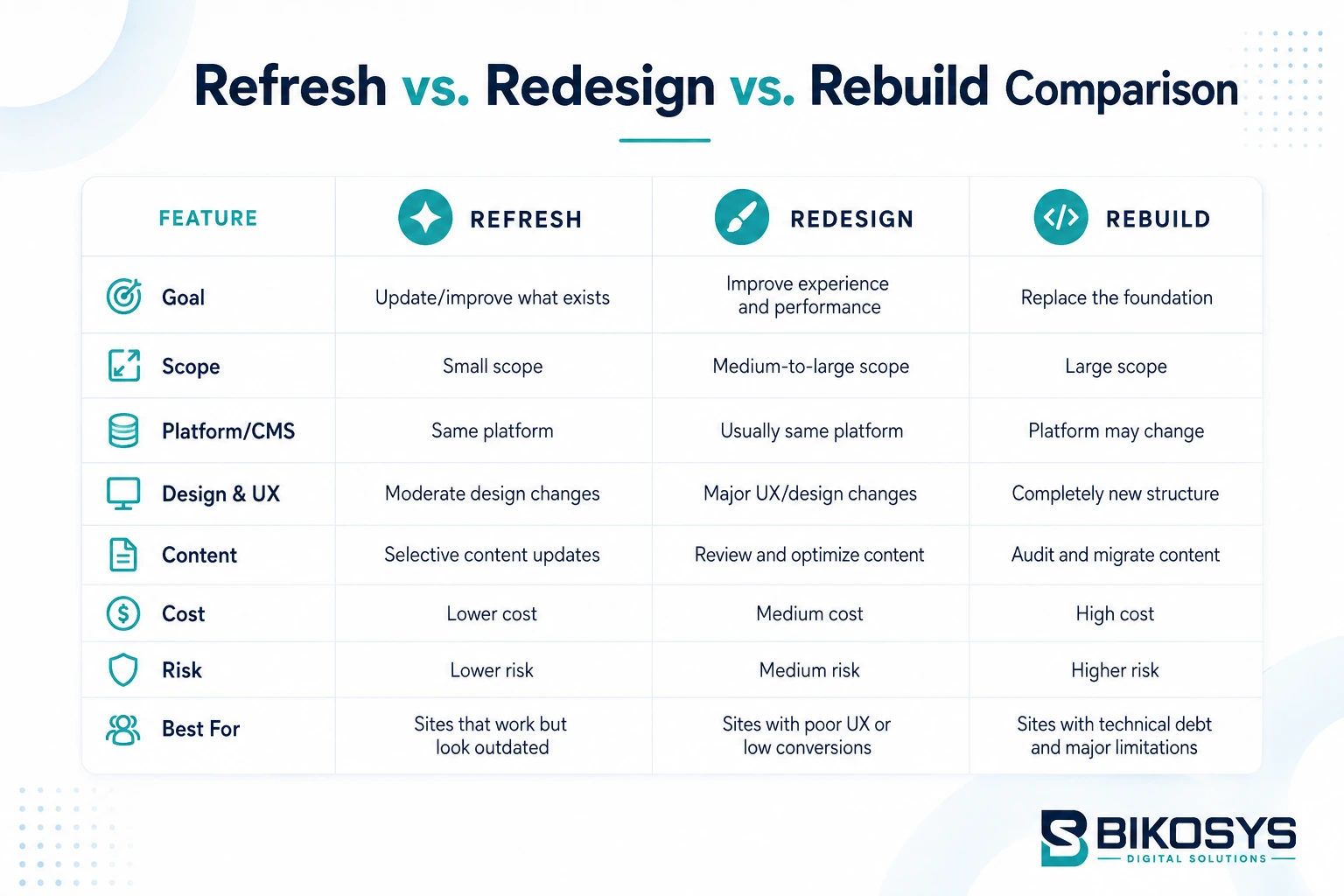
The differences are easier to see when the three options are compared directly.
| Area | Refresh | Redesign | Rebuild |
|---|---|---|---|
| Visual appearance | Moderate changes | Major changes | Usually completely new |
| Existing page structure | Mostly retained | Often reorganized | May be replaced |
| CMS / platform | Retained | Usually retained | May change |
| Code / theme | Minor changes | Can change significantly | Often replaced |
| Navigation | Small adjustments | Frequently redesigned | Replanned as needed |
| Content | Updated selectively | Reviewed extensively | Audited and migrated |
| New functionality | Limited | Moderate | Can support major changes |
| SEO migration risk | Low | Moderate | Highest |
| Project disruption | Lowest | Medium | Highest |
| Best suited for | Healthy but dated websites | Sites with UX or conversion problems | Technically limited or obsolete websites |
There is no prize for choosing the biggest project.
The objective is to choose the smallest level of intervention that properly solves the business problem.
7 Questions to Ask Before You Refresh, Redesign or Rebuild
1. Can Your Team Still Manage the Website Comfortably?
Try making several ordinary changes. Edit a service description. Replace an image. Create a page. Update the menu. Publish an article.
If everyday tasks require developer intervention or introduce unexpected layout problems, there may be a deeper CMS or development issue.
A manageable system is worth keeping. An unmanageable one deserves closer inspection.
2. Does the Website Structure Still Match the Business?
Companies often change faster than their websites.
Services are introduced. Locations are added. Markets change. Teams grow. New customer groups become important.
A website originally designed around a much smaller business can eventually become a collection of additions rather than a planned information structure.
Look at the navigation without thinking about colors or fonts. Does it represent the business as it operates today?
If not, a redesign may be more useful than a visual refresh.
3. Are Technical Problems Becoming Routine?
One isolated error does not justify rebuilding a website. A pattern of problems might.
Look for recurring issues such as updates breaking layouts, obsolete plugins, unsupported themes, excessive script dependencies, database problems, poor mobile performance or functionality that requires repeated patching.
The question is not whether these issues can technically be repaired. Almost anything can be repaired.
The better question is whether continuing to repair them is a good use of the business’s time and budget.
4. Is the Website Generating the Right Actions?
A website can receive visitors and still perform poorly.
Look beyond total traffic. Can visitors find important services easily? Do they reach your contact or quote pages? Are forms unnecessarily complicated? Does the mobile experience make contacting the company straightforward? Are important trust signals visible before customers are asked to take action?
If the platform works but visitors are getting lost between arrival and inquiry, redesigning the user journey may be the answer.
5. Can the Current Website Support the Next Two or Three Years?
This question shifts the decision away from today’s problems.
Suppose the business expects to add ecommerce, customer accounts, multiple locations, advanced forms, multilingual content, booking functionality, integrations or a much larger content library.
Can the current website support those plans without becoming increasingly complicated?
If the answer is consistently “yes, but we would need another workaround,” rebuilding deserves serious consideration.
6. What Existing SEO Value Must Be Protected?
Older websites are not automatically worthless.
They may contain pages that have been indexed for years, attract organic traffic, earn backlinks or rank for useful searches.
Throwing that history away during a redesign can turn a design improvement into an SEO problem.
Before changing platforms, deleting pages or restructuring URLs, identify what already performs. A strong redesign preserves useful search equity while improving weaker areas.
7. Is the Problem Really the Website?
This is the question many redesign discussions skip.
Not every lead-generation problem is a design problem.
A beautifully redesigned site will not compensate for an unclear service, an uncompetitive offer, weak traffic acquisition or a lack of credible proof.
Before rebuilding, separate website problems from broader marketing problems. That prevents the website from becoming an expensive solution to the wrong issue.
Three Practical Website Redesign Scenarios
Scenario 1: The Website Looks Old, but Everything Works
A local service business has an eight-page website with steady search traffic, straightforward navigation and a CMS the owner is comfortable using.
Its main issue is that the design looks several years behind its competitors. Typography feels dated, photographs need replacing and calls to action are inconsistent.
Likely direction: Refresh or focused redesign.
There is little reason to replace the technical foundation unless an audit uncovers additional problems.
Scenario 2: Traffic Arrives, but Visitors Rarely Inquire
A professional firm has useful content and reasonable search visibility, but its website has grown to more than 60 pages.
Navigation has become complicated. Several services overlap. Important testimonials are buried. Mobile users have to scroll through long introductions before reaching useful information.
The CMS itself works well.
Likely direction: Redesign.
The business needs stronger information architecture, clearer user journeys and better presentation, not necessarily a new platform.
Scenario 3: Every Change Creates Another Problem
A growing company has an older website built with a discontinued theme and several components that can no longer be updated safely.
Page editing is difficult. Performance is inconsistent. New functionality requires workarounds, and developers are reluctant to modify parts of the site because of unexpected dependencies.
Likely direction: Rebuild.
Continuing to redesign individual pages would improve the surface while leaving the core problem untouched.
Don’t Start a Website Redesign Before Taking an SEO Baseline
One of the easiest website redesign mistakes is beginning with screenshots of what the new site should look like.
Before design starts, record what the existing website is already achieving.
This should include important landing pages, indexed URLs, organic search traffic, valuable search queries, backlinks, conversions, page titles, metadata and existing redirects.
This creates a reference point.
Without it, teams can accidentally remove a page that looked unimportant but was quietly attracting qualified visitors.
A redesign should improve weak parts of the website without casually destroying strong ones. Businesses planning a larger migration should involve their SEO strategy before development begins, rather than trying to recover lost visibility afterward.
Changing URLs Requires Particular Care
A new website structure sometimes requires new URLs.
When that happens, every important old URL should have a clear destination.
Do not simply redirect dozens of deleted pages to the homepage. Map each old page to the most relevant replacement where appropriate.
Internal links, navigation, canonical references and XML sitemaps should also reflect the new structure.
This work is not visually exciting, but it is one of the differences between a website that merely looks new and a professionally managed website migration.
Rebuilding Does Not Automatically Mean Changing CMS
Businesses sometimes assume that a rebuild requires a completely different platform. It doesn’t.
A poorly constructed WordPress website, for example, can be rebuilt properly on WordPress.
The existing problem may be the theme, page builder, plugin architecture or original development approach rather than WordPress itself.
Likewise, moving to another platform should not be done simply because it is newer or currently fashionable.
A CMS should fit the people who will manage the website, the type of content being published, required integrations, expected growth and the level of technical control the business needs.
If WordPress is the right long-term platform, our WordPress development services cover new builds, redesigns and migrations. Businesses that have not yet selected a platform can instead review our CMS website development services.
What About Wix, Squarespace and Other Hosted Website Builders?
Hosted website builders can be suitable for many businesses, particularly when requirements are straightforward.
The decision to migrate should therefore be based on specific limitations rather than the platform name alone.
If the current builder supports the design, content, SEO controls, integrations and editing workflow the business needs, moving simply for the sake of moving creates unnecessary work.
Migration becomes more reasonable when the platform is consistently restricting important business requirements.
This may include limited customization, difficulty managing a growing content structure, integration limitations, poor control over specialized functionality or an editing workflow that no longer suits the organization.
The correct question is not, “Is WordPress better than our current platform?”
What can our current platform no longer do well enough for this business?
How Website Performance Fits Into the Decision
A slow website does not automatically need rebuilding.
Large images, excessive third-party scripts, poor caching or a small number of inefficient plugins may be fixable without changing the entire site.
Start by identifying the cause.
If performance improves substantially after focused optimization, the foundation may still be healthy.
If poor performance is deeply connected to the theme, page builder, code architecture and accumulated dependencies, rebuilding can eventually be more efficient than optimizing around structural limitations.
Regular website maintenance can also prevent routine updates, performance issues and neglected software from becoming larger problems over time.
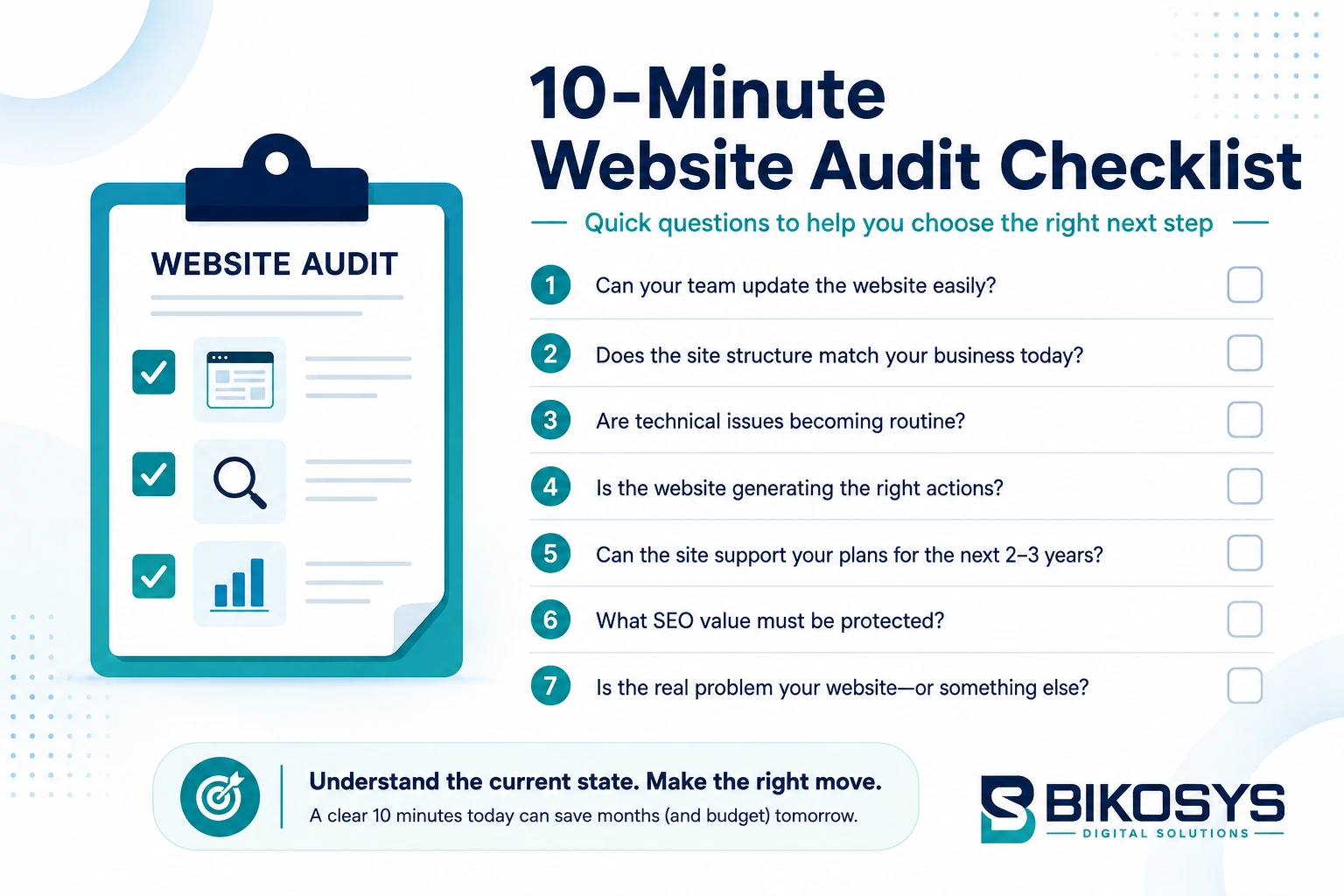
A Simple 10-Minute Website Audit
You do not need a full technical audit to identify the likely direction.
Open the website on your phone first.
- Try to understand what the business offers without using the menu.
- Find one important service.
- Try to contact the company.
- Return to the homepage.
- Repeat the process on a desktop computer.
- Log in to the CMS and make one routine content change.
- Ask whether you would be comfortable adding another 30 pages, three new services or an important new feature to the current setup.
Those few actions often reveal more than simply asking whether the design “looks modern.”
If the experience is basically sound but the presentation needs work, consider a refresh.
If visitors struggle while the underlying platform remains dependable, investigate a redesign.
If visitors struggle and the system behind the website is difficult to maintain or extend, a rebuild becomes much more likely.
Budget Should Follow the Problem, Not the Other Way Around
Budget obviously matters, but deciding the solution by budget alone can be expensive in the long run.
A business may choose a small refresh because it costs less, only to discover that deeper structural problems remain.
The opposite also happens. A company commissions an entirely new website when several targeted improvements could have produced the required result.
The first stage of any project should therefore be diagnosis.
- Establish what is wrong.
- Separate design problems from content problems.
- Separate conversion problems from traffic problems.
- Separate maintenance problems from platform limitations.
Only then decide how much of the website needs to change.
What Should Be Preserved During a Redesign or Rebuild?
Starting fresh visually does not mean starting from zero strategically.
Useful assets from the existing website can include strong page copy, search visibility, backlinks, customer reviews, case studies, photographs, analytics history, successful landing pages and familiar URLs.
Preservation should be deliberate.
A good project asks what should survive before deciding what should disappear.
This is particularly important when a website already receives organic search traffic.
When Ongoing Maintenance Is Enough
There is another option businesses sometimes overlook: doing neither a redesign nor a rebuild.
A healthy website may simply need regular attention.
Software updates, security checks, backups, performance optimization, broken-link corrections, content updates and periodic UX improvements can extend the useful life of a well-built website considerably.
A website should not be rebuilt merely because several years have passed.
Age is context, not diagnosis.
If the website remains secure, manageable, fast, relevant and effective, ongoing maintenance may be the most sensible investment.
When It Is Time to Redesign
A redesign is worth investigating when the website’s presentation and user experience have fallen behind the business but the technical foundation remains usable.
Common situations include confusing navigation, weak mobile layouts, inconsistent page designs, outdated branding, poor conversion paths, content that has grown without a clear hierarchy and important trust information that is difficult to find.
A redesign gives the business an opportunity to rethink how customers move through the website without discarding valuable assets unnecessarily.
If this describes your current site, explore our website redesign services to see how an existing website can be modernized while preserving what already works.
When Rebuilding Is the Smarter Investment
Rebuilding becomes more attractive as technical limitations accumulate.
If the CMS is difficult to manage, software cannot be updated safely, development depends on obsolete components, performance problems are structural or important future functionality cannot be added cleanly, the website’s foundation deserves attention.
At that point, repeatedly repairing the old system may be cheaper per task but more expensive over time.
A rebuild provides the opportunity to simplify the architecture, improve maintainability and create a foundation capable of supporting what the business plans to do next.
The Best Website Project May Be Smaller Than You Think
Website projects often begin with an assumption:
“We need a new website.”
A better starting point is:
“We need to understand what our current website is preventing us from doing.”
Sometimes that leads to a rebuild. Sometimes it leads to a redesign. And sometimes the answer is a surprisingly small collection of improvements.
The objective should never be to replace as much as possible. It should be to preserve what is valuable, repair what can reasonably be repaired and replace what is genuinely limiting the business.
That approach usually produces both a better website and a better business decision.
Frequently Asked Questions
What is the difference between a website refresh and a redesign?
A website refresh makes targeted improvements while keeping most of the existing design, structure and technical foundation. A redesign makes broader changes to the visual system, page layouts, navigation, user experience and conversion paths while often retaining the existing CMS.
What is the difference between a website redesign and a rebuild?
A redesign primarily changes how the website communicates and how visitors experience it. A rebuild changes significant parts of the underlying technical foundation, such as the theme, code architecture, CMS, page builder or content structure.
How do I know whether my website needs rebuilding?
A rebuild is worth considering when technical limitations have become persistent. Examples include obsolete software, difficult content management, repeated compatibility problems, poor scalability, structural performance issues or an inability to add important functionality cleanly.
Can I redesign my website without losing Google rankings?
Existing search visibility can often be preserved when the migration is planned carefully. Important URLs and content should be audited before changes are made, and URL changes should be mapped appropriately. Internal links, metadata, canonical URLs, analytics and sitemaps should also be checked during migration.
Should I change CMS when redesigning my website?
Not automatically. If the existing CMS remains secure, manageable and capable of supporting future requirements, keeping it may reduce cost and migration complexity. A CMS change becomes more reasonable when the current platform itself is limiting the business.
How often should a business website be redesigned?
There is no universal schedule. A website should be evaluated according to performance, usability, business changes, technical condition and customer expectations rather than age alone. A well-built site can remain effective for years with regular maintenance and incremental improvements.
Is it cheaper to redesign or rebuild a website?
A redesign is normally less extensive when the existing technical foundation can be retained. A rebuild involves additional development and migration work. However, repeatedly redesigning a technically weak website can eventually cost more than replacing the underlying system, which is why an audit should come before the decision.
Not Sure Whether Your Website Needs a Refresh, Redesign or Rebuild?
You do not need to decide before speaking with a development team. A useful first step is an assessment of the existing website: what is working, what is limiting performance, what should be preserved and what genuinely needs to change.
BIKOSYS works with businesses on website design, redesign, WordPress development, CMS development, SEO and ongoing website support. If you already have a website but are unsure how much of it actually needs replacing, we can review the existing setup and recommend a practical next step.