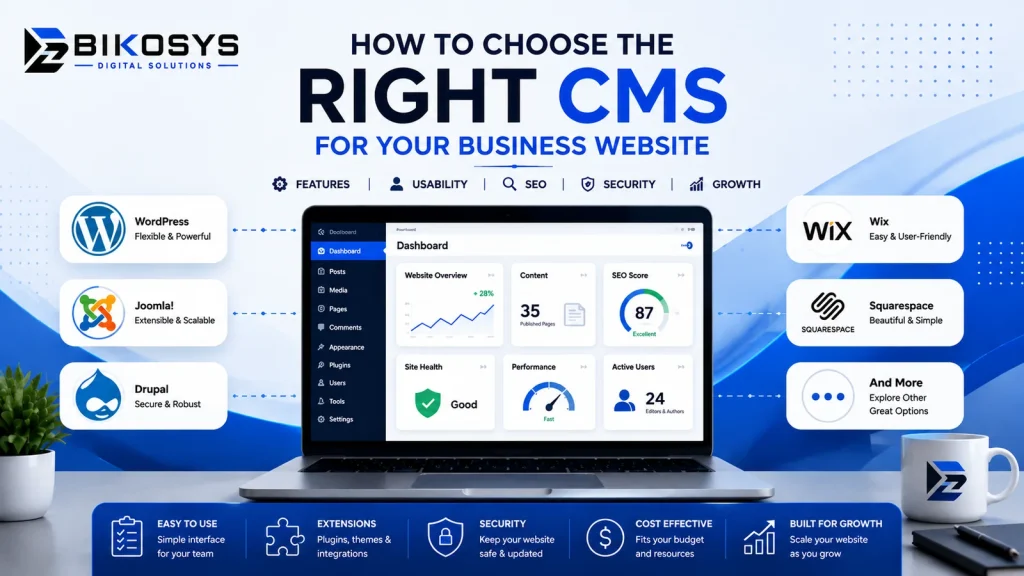
Choosing a content management system can look like a technical decision, but for most businesses it is really an operational decision.
The CMS you choose affects who can update the website, how quickly your marketing team can publish new content, how easily developers can add functionality, how much maintenance the site requires and how comfortably the website can grow with the business.
That is why asking, “Which CMS is the best?” is usually the wrong starting point.
A better question is: how do you choose the right CMS for your business based on the website you actually need to operate?
WordPress is a strong choice for many business websites, but it is not the only option. Drupal, Joomla, hosted website platforms, ecommerce systems, headless CMS solutions and custom applications can each make sense in the right circumstances.
This guide is designed to help business owners and marketing teams evaluate those choices before committing to a platform or development project.
Start With the Business Requirement, Not the CMS
One of the easiest ways to make a website project unnecessarily complicated is to select the technology before defining what the website needs to do.
A local professional-services company may primarily need service pages, location information, a blog, enquiry forms and landing pages. A manufacturer may need product categories, technical documents, distributor information and enquiry workflows. A membership organization may require restricted content, user accounts and approval processes.
All three businesses need websites, but their content and operational requirements are very different.
Before comparing CMS platforms, document the practical requirements of the website.
- What information will visitors need most often?
- Who will update the website internally?
- How frequently will new content be published?
- Will several departments manage different sections?
- Does the website need ecommerce?
- Will it connect with a CRM, booking system or other business software?
- Will customers need accounts or private areas?
- Are multiple locations, languages or markets involved?
- How important are landing pages and ongoing SEO content?
- What functionality is likely to be required two or three years from now?
Once those questions are answered, CMS selection becomes considerably easier.
What Does a CMS Actually Need to Do for a Business?
A content management system should make common website tasks easier without creating unnecessary technical complexity.
For most business websites, the CMS is responsible for much more than publishing blog posts. It may manage service pages, team members, locations, FAQs, case studies, resources, images, forms, products, landing pages and navigation.
A good CMS implementation should also help preserve consistency.
If an employee adds a new service page, the website should not suddenly use different typography, spacing or navigation because that person had complete control over every design setting. Structured templates and reusable components can give editors flexibility while protecting the design system.
This is why the quality of the implementation matters as much as the platform itself.
Who Will Manage the Website After Launch?
This question is frequently underestimated during website planning.
Imagine a company launches a beautiful website, but every small text change requires a developer. The technology may be capable, but the CMS has failed one of its practical business requirements.
Now consider the opposite problem. Every employee has unrestricted editing access and can modify page structures, fonts, colors and layouts. The website may be easy to edit, but maintaining consistency becomes difficult.
The ideal editing environment depends on the people who will use it.
For a small marketing team
The CMS may need straightforward control over pages, posts, images, forms and landing pages without exposing unnecessary technical settings.
For a larger organization
Different user roles may be required for writers, editors, marketers and administrators.
For a content-heavy organization
Reusable content types, categories, editorial workflows and clearly defined publishing processes become increasingly important.
A CMS should match the team’s ability to maintain it. More technical flexibility is not automatically better if the people responsible for daily updates cannot use it confidently.
Where WordPress Fits Into the Decision
WordPress deserves consideration for a large percentage of conventional business websites because it combines an established content-management interface with considerable development flexibility.
It can work particularly well when a business needs:
- A corporate or professional-services website
- Service and location pages
- Regular blogging or resource publishing
- Lead-generation landing pages
- Reusable page components
- Case studies and portfolio content
- Forms and CRM connections
- Membership functionality
- WooCommerce ecommerce
- Custom content types
- Marketing and analytics integrations
WordPress also gives businesses considerable freedom in how the frontend is designed. A professional WordPress website does not need to resemble a generic theme.
The platform can sit behind a completely custom user interface while giving internal teams a familiar place to manage content.
However, selecting WordPress should still be a requirements-based decision rather than an automatic choice.
If your organization has already decided that WordPress is the appropriate platform and needs implementation rather than platform comparison, our WordPress development services page explains the development side in greater detail.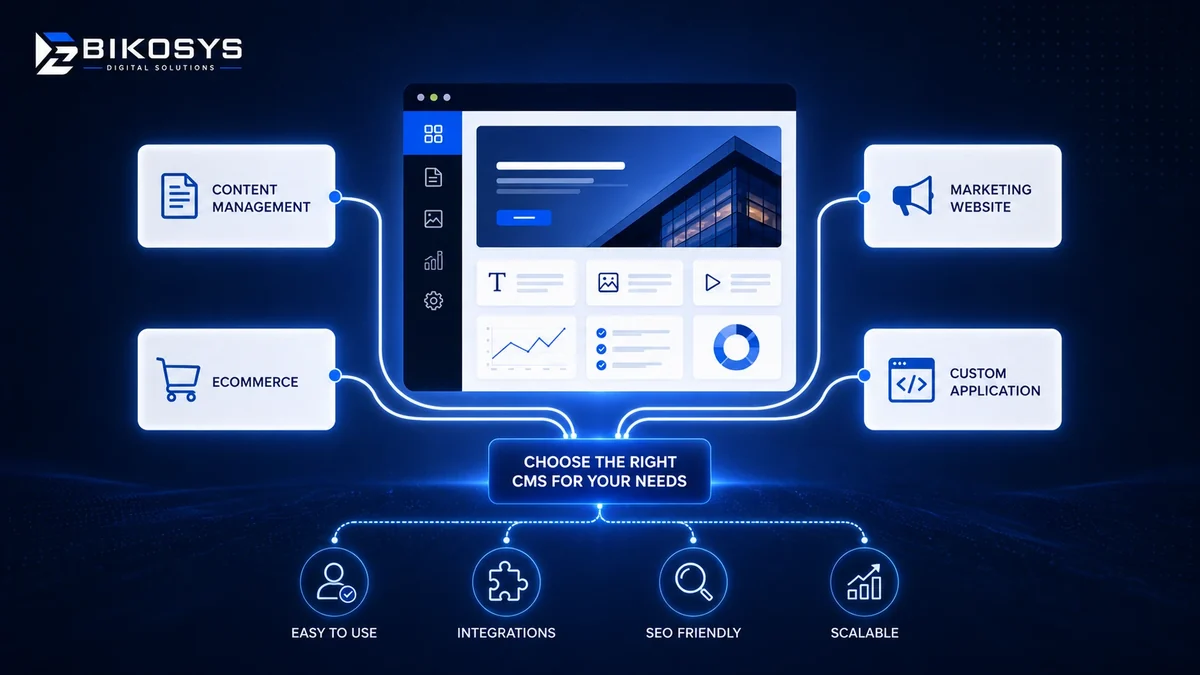
When WordPress May Not Be the Right Choice
A useful CMS comparison should also identify situations where WordPress may not be the best technical foundation.
For example, imagine the primary purpose of a project is not publishing information but running complex application logic.
The platform may need:
- Highly specialized user dashboards
- Complex account permissions
- Large numbers of real-time transactions
- Unusual data relationships
- Advanced internal business workflows
- Specialized reporting
- Deep integration with proprietary systems
In those circumstances, forcing every requirement into WordPress plugins can eventually create more complexity than it removes.
A custom application, specialized CMS or hybrid architecture may provide a cleaner technical foundation.
This does not mean custom development is automatically superior. Custom systems require their own development, testing, documentation and long-term maintenance. They should be selected because the business requirement justifies them.
WordPress vs Other CMS Options: A Business-Level Comparison
The following comparison is deliberately practical rather than declaring one platform the winner in every category.
| Consideration | WordPress | Drupal | Webflow / Hosted CMS | Custom CMS / Application |
|---|---|---|---|---|
| Routine content management | Usually straightforward | Powerful but can require more training | Generally straightforward | Depends entirely on how it is built |
| Business marketing sites | Excellent fit for many projects | Capable, often more complex than required | Strong for design-led marketing sites | Usually unnecessary unless requirements are unusual |
| Design flexibility | High | High | High within platform limits | Very high |
| Complex permissions and workflows | Possible with planning and development | Strong option | More limited | Can be built around exact requirements |
| Third-party ecosystem | Very broad | Strong module ecosystem | Integration-oriented | Often requires direct development |
| Infrastructure responsibility | Business or provider manages hosting and updates | Usually technically managed | Much of it handled by platform provider | Business owns most technical responsibility |
| Long-term flexibility | High with a clean implementation | High | Depends on platform capabilities | Very high, but dependent on continued development |
Do You Need a CMS or a Web Application?
This is another distinction worth making before development begins.
A CMS is primarily designed around managing and publishing content.
A web application is primarily designed around users performing operations.
There can be significant overlap, but thinking about the primary purpose of the system can prevent the wrong architecture being selected.
A company website containing services, resources, landing pages, case studies and contact forms is predominantly a CMS project.
A platform where users create accounts, enter operational data, manage workflows, generate reports and interact with complex dashboards behaves much more like a web application.
Some projects require both. In that case, the marketing site and application do not necessarily have to use exactly the same technology.
Think About the Content Structure Before Comparing Features
Many CMS decisions become clearer once the business identifies the types of information the website will contain.
For example, a consultancy might have:
- Services
- Industries
- Consultants
- Case studies
- Locations
- Articles
- Events
Instead of creating all of these as unrelated pages, a professional CMS can model them as separate content types with consistent fields and templates.
This creates several advantages.
A consultant profile can automatically use the same layout as every other consultant. Case studies can be filtered by industry. Locations can display related services. Articles can connect naturally with relevant commercial pages.
The CMS therefore becomes an information-management system rather than simply a page editor.
How Important Is SEO When Choosing a CMS?
SEO should be considered during CMS selection and website architecture, but businesses should avoid treating “SEO-friendly” as a checkbox attached to one particular platform.
Most mature CMS platforms can support essential search requirements when implemented properly.
What matters is whether the development setup gives you sensible control over:
- Page titles and meta descriptions
- Clean, stable URLs
- Heading hierarchy
- Canonical URLs
- XML sitemaps
- Indexing controls
- Image alternative text
- Internal links
- Redirects
- Structured data where appropriate
- Mobile usability
- Page performance
The migration process matters as well.
If an established business changes CMS platforms, replacing old URLs without appropriate redirects can create avoidable problems. Existing metadata, important pages, internal links and indexation settings should be reviewed before launch.
For this reason, CMS migration should be treated as both a development project and an information-architecture project.
Hosting, Ownership and Platform Lock-In
CMS comparisons frequently focus on features while ignoring ownership.
Before selecting a platform, understand what happens if you later change your developer, hosting provider or technology strategy.
Ask questions such as:
- Who owns the domain?
- Who owns the hosting account?
- Will the business have administrator access?
- Can content be exported?
- Can the website be moved to another host?
- Are premium plugins or extensions licensed to the business or only to the developer?
- What happens if the current agency is no longer available?
- Is custom functionality documented?
A platform that appears inexpensive at launch can become expensive if moving away from it later requires rebuilding the entire website.
Conversely, complete technical freedom also comes with additional maintenance responsibility. Ownership and convenience need to be balanced rather than treated as opposing absolutes.
How Much Customization Does the Business Really Need?
Customization should solve a business problem.
There is little value in building custom functionality simply to make a project sound more sophisticated.
If a reliable standard feature already meets the requirement, using it may reduce cost, testing time and long-term maintenance.
Custom development becomes more valuable when an existing solution creates operational compromises.
Examples might include:
- A quoting workflow unique to the business
- A specialized product finder
- A customer portal
- Complex location-to-service relationships
- Industry-specific calculators
- Private document libraries
- Integrations with internal databases
The important question is not, “Can this be customized?” Most platforms can be customized to some degree.
The better question is, “What will this customization cost to build, test and maintain over several years?”
Do Not Ignore Maintenance When Selecting a CMS
A website continues to require attention after launch regardless of the platform selected.
The maintenance model will simply be different.
An open-source CMS may require core, plugin, theme and hosting maintenance. A hosted platform may handle more infrastructure automatically but still require content management, integration reviews and ongoing website improvements. A custom application gives greater control but places more responsibility on the development team maintaining it.
Businesses should therefore ask:
- Who will install and test updates?
- How are backups handled?
- Is there a staging environment?
- Who monitors failed forms or integrations?
- Who deals with security issues?
- How will new functionality be requested?
- Who checks performance after major changes?
The CMS should be evaluated on total ownership responsibility, not simply initial development cost.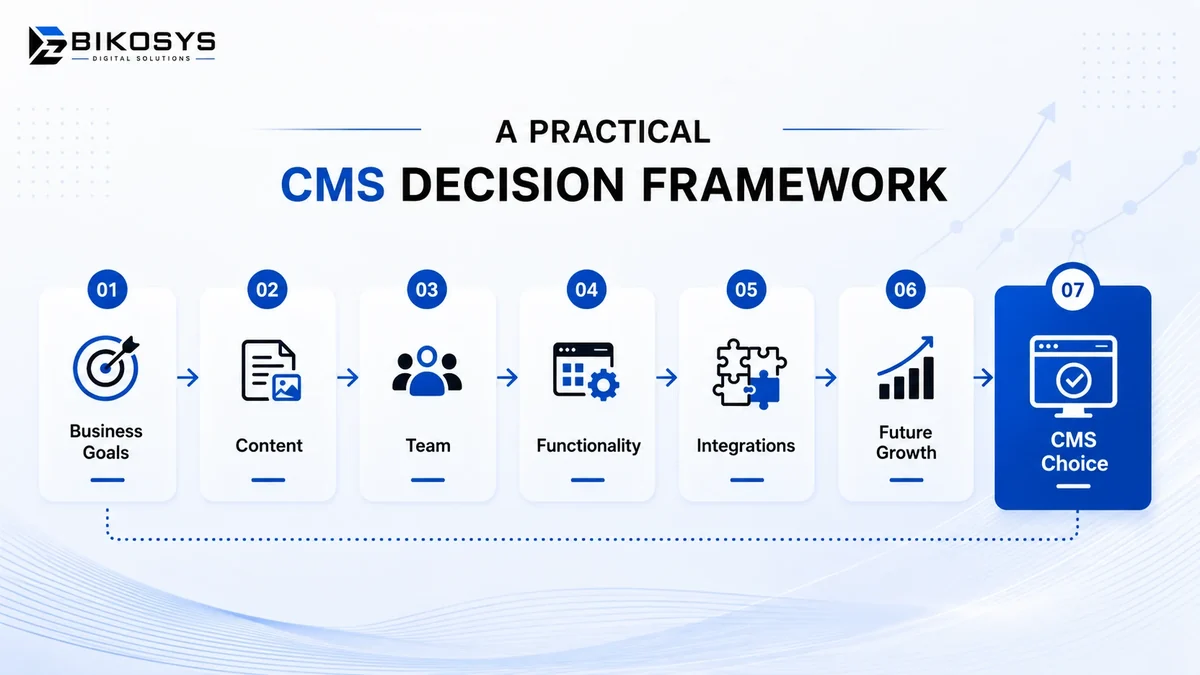
How to Choose the Right CMS for Your Business: A Practical Framework
You do not need a fifty-page technology study to make a sensible CMS decision for most business websites.
Start with five areas.
1. Content
What types of information will the website contain, and how often will each type change?
2. People
Who will publish, review and administer that information?
3. Functionality
What must visitors or logged-in users be able to do?
4. Integrations
What external systems must exchange information with the website?
5. Future growth
What changes are reasonably likely during the next few years?
Once those answers are documented, compare platforms against the requirements rather than comparing platforms against one another in isolation.
Still evaluating which CMS fits your project?
If the platform has not been decided yet, start with the business requirements and compare the available development options.
When Should You Speak With a CMS Development Company?
Businesses do not necessarily need a developer simply to compare a few CMS platforms. However, professional technical input becomes useful when platform selection affects migration, integrations, custom functionality or long-term architecture.
Before requesting proposals, prepare a short requirements document describing:
- The purpose of the website
- Current website problems
- Important page and content types
- Required integrations
- User roles
- Ecommerce or membership requirements
- Content migration requirements
- Expected internal editing workflow
- SEO considerations
- Future functionality already being considered
A development partner can then recommend a platform based on real requirements rather than making assumptions from the number of pages.
If your business has not yet committed to WordPress or another platform, review our CMS website development services for platform-neutral planning and development options.
If WordPress has already been selected, the more relevant next step is our dedicated WordPress development services page.
Keeping those two decisions separate—choosing the technology and implementing the technology—usually leads to a clearer project scope.
CMS Selection Checklist for Business Owners
Business requirements
- Define the primary purpose of the website.
- Identify the main visitor journeys.
- Document required functionality.
- Identify current and future integrations.
Content requirements
- List the main content types.
- Estimate publishing frequency.
- Identify who creates and approves content.
- Determine whether multilingual content is required.
Technical requirements
- Consider hosting and performance needs.
- Review user roles and permissions.
- Plan migration and redirects if replacing an existing site.
- Confirm how backups and updates will be managed.
Commercial requirements
- Compare development cost.
- Consider recurring licenses.
- Estimate maintenance responsibility.
- Clarify website, hosting and account ownership.
Future requirements
- Consider new services or locations.
- Consider ecommerce or membership plans.
- Consider future integrations.
- Ask whether the platform can grow without repeatedly rebuilding the website.
Frequently Asked Questions About Choosing a CMS
How do I choose the right CMS for my business?
Start by documenting what the website needs to do, who will manage the content, which integrations are required and how the site is likely to grow. Then compare CMS platforms against those requirements rather than choosing one based only on popularity or price.
Is WordPress a good CMS for a business website?
WordPress is a strong option for many marketing, service, publishing, ecommerce and lead-generation websites. It offers substantial design and development flexibility while allowing business teams to manage everyday content. Highly specialized application requirements may justify another architecture.
Is WordPress better than a custom CMS?
Neither is universally better. WordPress can reduce development time and provide an established content-management foundation. A custom CMS can make sense when a business has workflows, permissions or application requirements that would otherwise require extensive workarounds.
Should a small business use a custom CMS?
Usually only when there is a clear requirement that standard platforms cannot handle efficiently. Custom development increases control, but it also creates additional responsibility for testing, documentation and future maintenance.
Can I change CMS platforms later?
Yes, but migration can require content transfer, URL mapping, redirects, metadata review, media migration, integration changes and testing. Planning the information architecture carefully from the beginning makes future migrations easier.
Does the CMS affect SEO?
The CMS affects how easily developers and editors can control URLs, headings, metadata, internal linking, indexation, structured data, images and performance. The platform itself does not guarantee rankings; implementation and content quality remain important.
What should I ask a CMS developer before hiring them?
Ask how they select platforms, structure content, manage migrations, handle integrations, approach performance and security, provide administrator access and support the site after launch. Their recommendation should be connected to your requirements rather than simply promoting the platform they use most often.
Should the marketing team be involved in CMS selection?
Yes. Developers understand technical constraints, but marketing and content teams understand how frequently information changes and which publishing workflows create friction. The strongest platform decisions usually involve both perspectives.
Final Thoughts: Choose for the Business You Need to Run
The right CMS is not necessarily the platform with the largest feature list or the most impressive demonstration.
It is the platform that gives the business enough flexibility without introducing unnecessary complexity.
For many conventional business websites, WordPress provides an effective balance of content management, design freedom, integrations and long-term development options. For projects with unusual workflows, complex application functionality or specialized technical requirements, another CMS or a custom approach may be more appropriate.
Start with the business requirements. Define the content. Understand who will manage it. Identify the integrations. Consider what happens after launch.
Once those questions are answered, choosing the technology becomes far less about preference and much more about making a defensible business decision.
Need help evaluating your website requirements?
BIKOSYS can review your current website, content requirements and future plans before recommending an appropriate CMS or WordPress development approach.