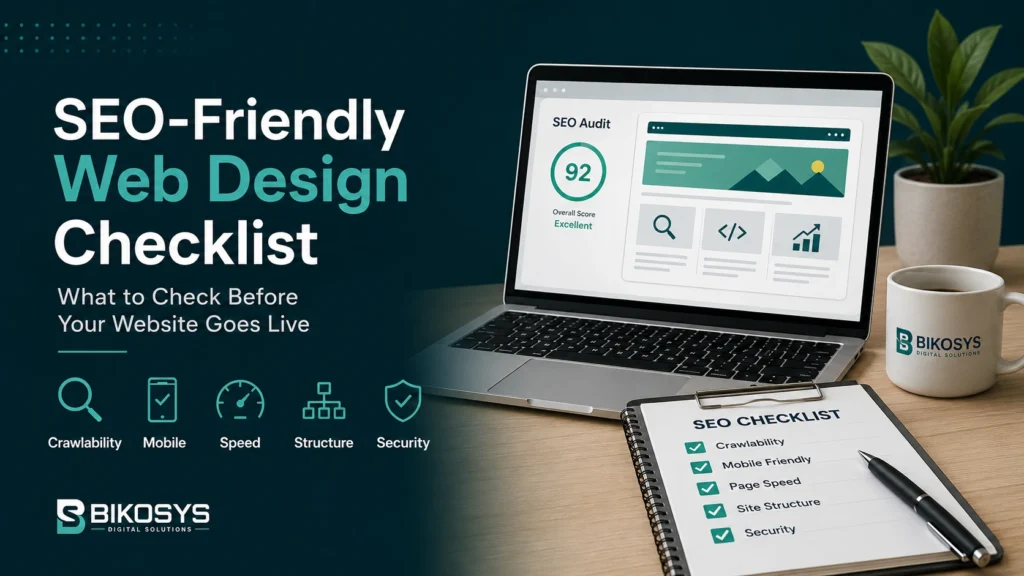
A website can be beautifully designed and still make search visibility harder than it needs to be.
That usually happens when SEO is treated as a finishing task. The layout is approved, development is nearly complete, content is uploaded, and only then does somebody ask whether the site is ready for Google.
By that point, some of the most important decisions have already been made: how pages are organized, how URLs are structured, what loads first on mobile, how navigation works, whether important content is crawlable, and how easily one page connects to another.
That is why an SEO-friendly web design checklist is most useful before launch, not after a ranking problem appears.
This is not a checklist for squeezing keywords into every heading. It is a practical review of the design, development and content decisions that help a business website remain understandable to visitors and accessible to search engines.
For businesses competing in the United States and Canada, that foundation matters because a new website rarely competes on appearance alone. It also has to load well, explain the offer clearly, support important service pages and give search engines enough structure to understand what the business actually provides.
Used properly, this SEO-friendly web design checklist helps bring those decisions into the planning stage, when they are easier to improve and far less expensive to repair.
1. Give Every Important Page a Clear Purpose
Before thinking about title tags or schema, decide why each page exists.
A homepage introduces the business. A service page helps a potential customer evaluate a specific service. A location page should answer location-specific needs. A blog article can educate, compare options or support a commercial page with useful context.
Problems begin when several pages are created for nearly the same purpose.
One page targets “web design,” another “website design,” another “professional website design,” and all three say roughly the same thing. The site becomes larger without becoming clearer.
A stronger structure gives genuinely different search intents their own destinations. That makes the website easier for customers to navigate and gives search engines clearer signals about which page should represent which topic.
This principle is built into our SEO-friendly website design services: the search foundation starts with page purpose and information architecture, not with a plugin installed at the end.
2. Make the Site Structure Obvious to a New Visitor
Business owners know their own companies too well.
They already know what each service means, which department handles what, and where information is stored. A first-time visitor does not have that context.
Good website architecture reflects the way customers think about the business rather than the way the internal organization chart is arranged.
- Can someone find the main services without opening several menus?
- Are important commercial pages reasonably close to the homepage?
- Do related pages link to one another naturally?
- Are blog articles connected to the services they support?
- Are there orphaned pages that almost nothing links to?
A clean structure is good for usability first. It also gives crawlers a clearer path through the site and helps distribute internal authority toward the pages that matter most.
3. Keep Important Content Crawlable and Available in the Page
Modern websites can do impressive things with animation, sliders, tabs, popups and JavaScript-driven interfaces.
Those tools are not automatically bad for SEO. The problem appears when the most important information becomes unnecessarily difficult to access.
Your core service description should not exist only inside an image. Important links should not depend on an unusual interaction. Essential content should not disappear for mobile users simply because the desktop design looked cleaner without it.
A practical test is to ask whether the page still makes sense when the visual decoration is removed. If the actual business information is strong, the design can enhance it. If the design is carrying all the meaning, the page may be fragile for both users and search engines.
When crawlability problems come from the underlying build rather than the copy itself, stronger website development services may be needed to correct the structure instead of layering another workaround on top.
4. Review the Mobile Experience as Its Own Design
Responsive design is a starting point, not proof that the mobile experience is good.
A desktop layout can technically shrink to a phone and still be awkward to use. The hero may take up most of the screen. A form may require too much typing. Buttons can be pushed too far down. A comparison table may become unreadable. A popup that feels small on desktop may cover nearly the entire phone.
Use the website on an actual phone before launch.
- Can you understand the offer without excessive scrolling?
- Are buttons easy to tap?
- Can forms be completed comfortably?
- Do headings wrap cleanly?
- Are menus easy to open and close?
- Does important content appear in a sensible order?
- Do sticky elements cover anything useful?
A useful SEO-friendly web design checklist should therefore treat mobile usability as part of the build itself, not as a final responsive-design test.
Strong web design services should treat mobile behaviour as a design decision rather than a final compatibility check.
5. Control Performance Before the Page Becomes Heavy
Many slow websites were not designed to be slow.
They became slow one decision at a time.
- A full-screen video is added to the hero.
- Three font families are loaded.
- Large images are uploaded directly from a camera or stock library.
- A chat widget, heatmap, ad pixel and several tracking scripts are added.
- A page builder section is duplicated repeatedly instead of simplified.
- Plugins are installed for small features that could have been handled more cleanly.
None of those decisions may appear disastrous on its own. Together they can create a page that feels sluggish, especially on mobile connections.
An SEO-friendly web design process therefore treats performance as a budget. If an element adds weight, it should earn its place by improving communication, usability or conversion.
Performance belongs on every SEO-friendly web design checklist. Google’s Core Web Vitals guidance is a useful reference when reviewing loading, responsiveness and visual stability before launch.
6. Use Headings to Organize Meaning, Not Decorate Sections
Headings help people scan a page quickly. They also describe the relationship between sections.
A common design mistake is choosing heading levels according to how large the text should look. A developer uses an H3 because the font size happens to fit the layout, then an H2 farther down because that style looks stronger.
Visual styling and document structure should be separated.
The page title should establish the main subject. H2 headings should introduce major sections. H3 headings can sit beneath those sections when a further level is genuinely useful.
The wording also matters. “Our Solutions” may look elegant, but “Website Performance and Core Web Vitals” tells a visitor much more about what comes next.
7. Decide the URL Structure Before Launch
URLs are easy to ignore during design because they are not visually prominent.
They become much more important when somebody wants to change them after Google has already indexed the pages.
Keep important URLs readable, stable and based on the real page topic. Avoid unnecessary dates, IDs or deeply nested folders unless the structure genuinely requires them.
If a redesign changes existing URLs, map the old addresses to the appropriate new ones before launch. That is particularly important for pages with backlinks, rankings, traffic or a long history.
If you are replacing an older website, our guide to refreshing, redesigning or rebuilding a website explains why preserving useful assets matters as much as creating the new design.
If the project has moved beyond smaller fixes, our website redesign services focus on improving the experience without discarding URLs, content and search value that are still useful.
8. Write Search Titles for Humans Who Are Comparing Results
A search title is not simply a place to insert the main keyword.
It has to help a person understand why the result may be relevant.
That means the title should normally make the topic obvious and add a useful qualifier when appropriate: the type of service, intended audience, location, problem or benefit.
Meta descriptions deserve similar care. They do not need a stack of keyword variations. They need a clear explanation of what the visitor will find on the page.
For commercial pages, clarity generally creates a better search snippet than exaggerated claims.
9. Optimize Images Without Turning Alt Text Into Keyword Storage
Images influence both presentation and performance, so they need more thought than simply uploading the largest available file.
- Resize images to sensible display dimensions.
- Use efficient formats where appropriate.
- Compress files without visibly damaging quality.
- Use descriptive filenames when practical.
- Add alternative text when the image communicates useful information.
- Treat purely decorative images as decorative.
Alt text should describe what the image contributes. It should not repeat “SEO-friendly web design” five different ways simply because the field is available.
10. Build Internal Links Into the Content Plan
Internal linking is easier when it is planned while the website is being written.
A page about CMS selection can lead naturally to CMS or WordPress development. A local-search article can support a local SEO service page. A website conversion article can point readers toward redesign or landing-page work when that is the next logical step.
The previous BIKOSYS article on a website not generating leads follows that approach by connecting informational problems to the services that can actually solve them.
The same principle should be used across a new site.
Internal links should continue the reader’s journey, not interrupt it.
That is why internal linking belongs on an SEO-friendly web design checklist before the site grows large enough for important pages to become isolated.
11. Use Structured Data Where It Accurately Describes the Page
Structured data can help search systems understand certain information more explicitly.
That does not mean every page needs every possible schema type.
Use markup that reflects the content actually present: organization information, breadcrumbs, articles, products, local-business details or other supported types where they genuinely apply.
Do not add unsupported properties simply because they sound useful for AI search. Clear content, accessible HTML, sensible internal links and accurate structured data are more dependable than invented “AI SEO” markup.
12. Check Indexing Settings Before the Site Goes Live
Staging websites are often intentionally blocked from search engines.
The problem is forgetting to remove that block at launch.
- Review robots directives.
- Check for accidental noindex settings.
- Confirm canonical URLs.
- Verify the XML sitemap.
- Make sure important pages return the expected status code.
- Check that the preferred domain version is consistent.
- Confirm redirects from old URLs.
These checks are not glamorous, but a technically inaccessible website cannot benefit fully from the content and design work placed on top of it.
For a broader technical reference, Google’s SEO Starter Guide covers many of the same fundamentals around crawlability, page organization, links and search-friendly content.
13. Remember That Search Traffic Still Has to Convert
An SEO-friendly website should not be built for crawlers at the expense of customers.
The visitor still needs to understand the offer, trust the business and find a sensible next step.
- Is the main value proposition specific?
- Do service pages answer real buying questions?
- Is there evidence behind important claims?
- Are calls to action visible without being aggressive?
- Are forms appropriate for the stage of the enquiry?
- Can visitors move between educational and commercial content easily?
A website that ranks but does not help people make a decision has only solved half the problem.
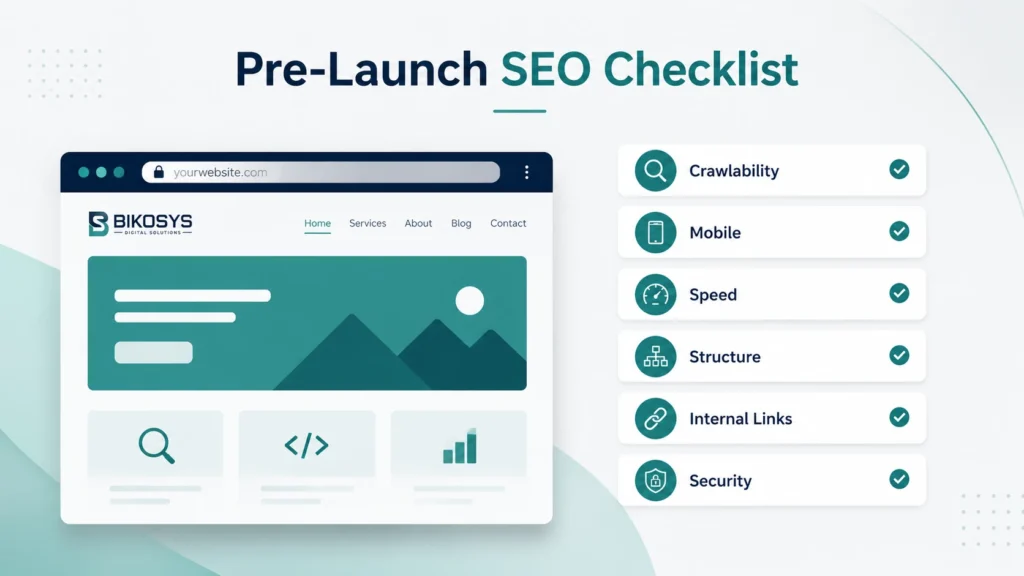
A Practical SEO-Friendly Web Design Pre-Launch Checklist
Before launch, run through the complete SEO-friendly web design checklist once more with both the customer journey and search visibility in mind. Think of it as an SEO website design checklist for the decisions that are easiest to miss when a project is close to completion.
| Area | What to Check | Why It Matters |
|---|---|---|
| Page purpose | Each important page has a distinct search and customer purpose | Reduces overlap and makes the site easier to understand |
| Navigation | Main services and high-value pages are easy to reach | Supports usability and crawl paths |
| Mobile | Real-device testing completed | Prevents responsive layouts from hiding usability problems |
| Performance | Images, fonts, scripts and third-party tools reviewed | Reduces unnecessary page weight |
| Content | Headings and service information are clear and crawlable | Improves comprehension for people and search systems |
| URLs | Clean, stable URLs and redirects are prepared | Protects continuity during launch or redesign |
| Internal links | Related pages connect naturally | Supports discovery and customer journeys |
| Metadata | Unique titles and useful descriptions are written | Improves relevance and search-result presentation |
| Images | Files are compressed and useful alt text is present | Supports performance and accessibility |
| Indexing | Canonicals, robots, sitemap and noindex settings are checked | Avoids preventable discovery problems |
| Conversions | Forms and calls to action work on desktop and mobile | Ensures traffic has a useful next step |
The Checklist Does Not End on Launch Day
Launch is when the website starts producing real evidence.
Search Console begins showing which queries trigger impressions. Analytics can show how people enter and move through the site. Forms reveal whether traffic turns into enquiries. Support requests expose usability problems that testing may have missed.
Use that information.
SEO-friendly website development is not about trying to predict every search-engine change. It is about building a technically sound, understandable and maintainable foundation that can be improved as real data arrives.
If the foundation is weak, every later SEO campaign spends time repairing it. If the foundation is strong, content, authority building and conversion improvements have something dependable to build on.
The value of an SEO-friendly web design checklist is not the number of boxes it contains. It is the number of avoidable problems it helps keep out of the finished website.
Frequently Asked Questions
What is an SEO-friendly web design checklist?
An SEO-friendly web design checklist reviews the design, technical and content foundations that affect crawlability, mobile usability, site structure, performance, internal linking, metadata and indexing before a website launches.
Is SEO-friendly website design different from normal web design?
There is overlap, but SEO-friendly website design pays particular attention to the technical and structural decisions that affect search visibility. A visually strong website can still have poor crawlability, weak internal architecture, slow pages or indexing problems.
Should SEO be done before or after a website is built?
SEO should influence planning, architecture, content and development before launch, then continue after launch using real performance data. Treating SEO only as a post-launch task often means paying to correct structural decisions that could have been handled earlier.
Does an SEO-friendly website automatically rank on Google?
No. A strong technical foundation improves the site’s ability to compete, but rankings also depend on relevance, content quality, competition, authority, search intent and many other factors.
Can an existing website be made more SEO-friendly without a redesign?
Often, yes. Many issues can be improved through technical SEO, content restructuring, internal linking, performance work and targeted UX changes. A redesign is more appropriate when the underlying layout, architecture or technology has become part of the problem.
What should I check immediately after launching a new website?
Check indexing settings, redirects, canonical URLs, the XML sitemap, important forms, analytics, Search Console, mobile layouts and key page performance. Then monitor real queries and landing-page behaviour rather than assuming the launch configuration is perfect.
Planning a Website That Needs to Perform in Search?
A search-friendly website begins with structure, performance, mobile usability and clear content before ongoing SEO campaigns begin. Fixing those fundamentals during the build is usually easier than repairing them after launch.
BIKOSYS combines website design, development and SEO strategy for businesses that want a stronger technical foundation and a clearer path from search visibility to enquiry.